At a glance
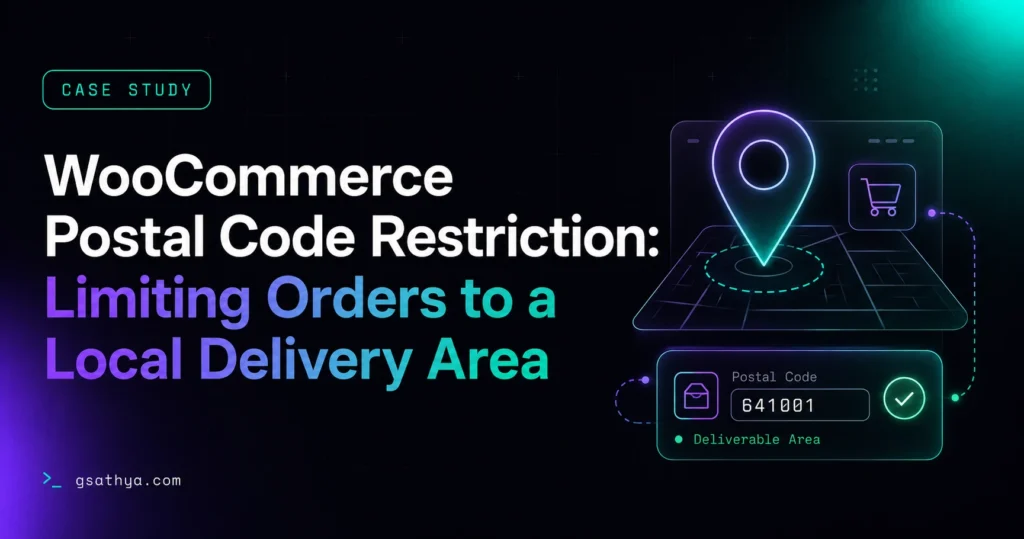
A WooCommerce store needed to accept online orders only from customers inside its Northwestern Ontario delivery zone. I built a lightweight custom plugin that validates the postal code (by Forward Sortation Area) and province at checkout, live in the browser and again on the server, so out-of-area orders are stopped before any payment is taken, and the owner can edit the allowed areas themselves.
WooCommerce postal code restriction is a real-world case study of a custom plugin I built. A WooCommerce store needed to accept online orders only from customers inside its Northwestern Ontario delivery zone. I built a lightweight custom plugin that validates the postal code (by Forward Sortation Area) and province at checkout, l…
The problem
A WooCommerce store owner needed to sell online but deliver only within a specific service area — a cluster of towns across Northwestern Ontario. Out of the box, WooCommerce happily accepts an order from anywhere in the world, which meant the store risked taking orders it could never fulfil, then dealing with refunds, cancellations and disappointed customers.
The goal was simple to state but easy to get wrong: only customers inside the delivery zone should be able to place an order. Everyone else should be stopped politely at checkout, before any payment is taken.
The challenge
The delivery zone covered around seventeen communities — Thunder Bay, Shuniah, Oliver Paipoonge, Neebing, Nipigon, Red Rock, Dorion, Murillo, Kakabeka Falls, Rosslyn, Slate River, Atikokan, Dryden, Kenora and more. In Canada these map to a set of Forward Sortation Areas (FSAs — the first three characters of a postal code), such as P7A, P7B, P0T, P8N and P9N. A few requirements made this trickier than a simple “block the checkout” tweak:
- FSA-level matching. Customers type a full six-character postal code (e.g. P8N 1A2), but the zone is defined by the first three characters. The plugin had to match the FSA regardless of spacing or letter case.
- Two checkout types. The store could use either the classic WooCommerce checkout or the newer block-based (Gutenberg) checkout, so validation had to work reliably on both.
- No accidental charges. The order had to be stopped before payment — never charge a card and then fail to deliver.
- Editable by the owner. The store owner needed to add or remove postal codes themselves, without touching code.
- Good customer experience. The customer should see the “we don’t deliver here” message as soon as they enter an out-of-area postal code, not only after filling in card details.
The solution
I built a self-contained plugin — NWO Postcode Restriction — with four layers working together.
1. An admin settings panel
Under WooCommerce → Postcode Restriction, the owner manages the allowed postal codes in a simple text box, one per line. They can enter a three-character FSA to allow an entire area, or a full postal code for an exact match. The message shown to out-of-area shoppers is editable from the same screen, so the wording stays in the owner’s hands.
2. Live checkout validation
As the customer types their postal code or selects a province, a small script checks it against the allowed list in real time. If the area isn’t served, a clear error appears and the Place Order button is greyed out and disabled — so the customer never wastes time entering payment details for an order that can’t go through.
3. Server-side enforcement
Client-side checks improve the experience, but they can be bypassed. So the same rules run again on the server when the order is submitted — on both the classic checkout and the block checkout’s Store API. This is the guaranteed gate: even with JavaScript disabled, an out-of-area order simply cannot be placed, and no payment is taken.
4. Province lock
Because every delivery community sits in Ontario, the plugin restricts the province field to Ontario only and rejects any order where the province doesn’t match. This closes a subtle gap where a valid-looking postal code could be paired with the wrong province.
How it works
When a customer reaches checkout, the plugin normalises their postal code — stripping spaces and standardising the case — and checks whether it begins with any of the approved FSAs. It then confirms the province is Ontario. Only when both conditions pass can the order proceed. If either fails, the customer sees a friendly, on-brand message letting them know the store delivers only to selected areas in Northwestern Ontario.
The allowed list and the message are both stored as WordPress options, so the owner’s changes take effect instantly with no deployment.
Why it matters
Plenty of local businesses want the reach of an online store without the headache of orders they can’t deliver. A focused, well-built restriction plugin lets them do exactly that — sell online, but only where it makes sense — while keeping the checkout fast, clear and fully in the owner’s control.
Key results
- No orders the store cannot fulfil, and far fewer refunds and cancellations
- Out-of-area shoppers are stopped before entering payment details, not after
- The owner can expand or shrink the delivery area anytime from the WordPress dashboard
- A reliable server-side safety net that cannot be bypassed, even with JavaScript disabled
Tech stack
Frequently asked questions
How do you restrict WooCommerce orders to specific postal codes?
A custom plugin checks each order against an owner-managed allow-list at checkout. It matches by Forward Sortation Area (the first three characters of the postal code), so an entire local area can be allowed with one entry, and any address outside the zone is blocked before payment is taken.
Does the postal code restriction work on the WooCommerce block (Gutenberg) checkout?
Yes. Validation runs on both the classic checkout and the block checkout Store API, so the delivery-area rules are enforced no matter which checkout the store uses.
Can the store owner change the allowed delivery areas without a developer?
Yes. The allowed postal codes and the out-of-area message are managed from a simple admin panel under WooCommerce, and changes take effect instantly with no code or deployment.
Can a customer bypass the checkout restriction with JavaScript disabled?
No. The live browser check is only for convenience. The same rules run again server-side when the order is submitted, so an out-of-area order cannot be placed even without JavaScript.
Does it prevent charging customers for orders that cannot be delivered?
Yes. Out-of-area orders are blocked before payment, so a card is never charged for an order the store cannot fulfil.
Want a Similar High-Converting Result for Your Business?
I am Sathyaseelan G., a senior freelance WordPress & Shopify developer with 10+ years of experience. Work directly with me with zero agency overhead, fast delivery, and proven performance.
Request a Free Quote →